Learn to write Chinese characters, stroke by stroke.

Write with Apple Pencil or your finger. Lianzi checks each stroke as you draw, shows you the right one when you are stuck, and brings every word back just before you would forget it.

For iPad and iPhone, in beta on TestFlight. Write to support@lianzi.app for an invitation; on the App Store soon as Lianzi: Write Chinese.

Write “big” dà

Stroke 1 of 3: 横 héng horizontal

The same check, on iPad and iPhone.

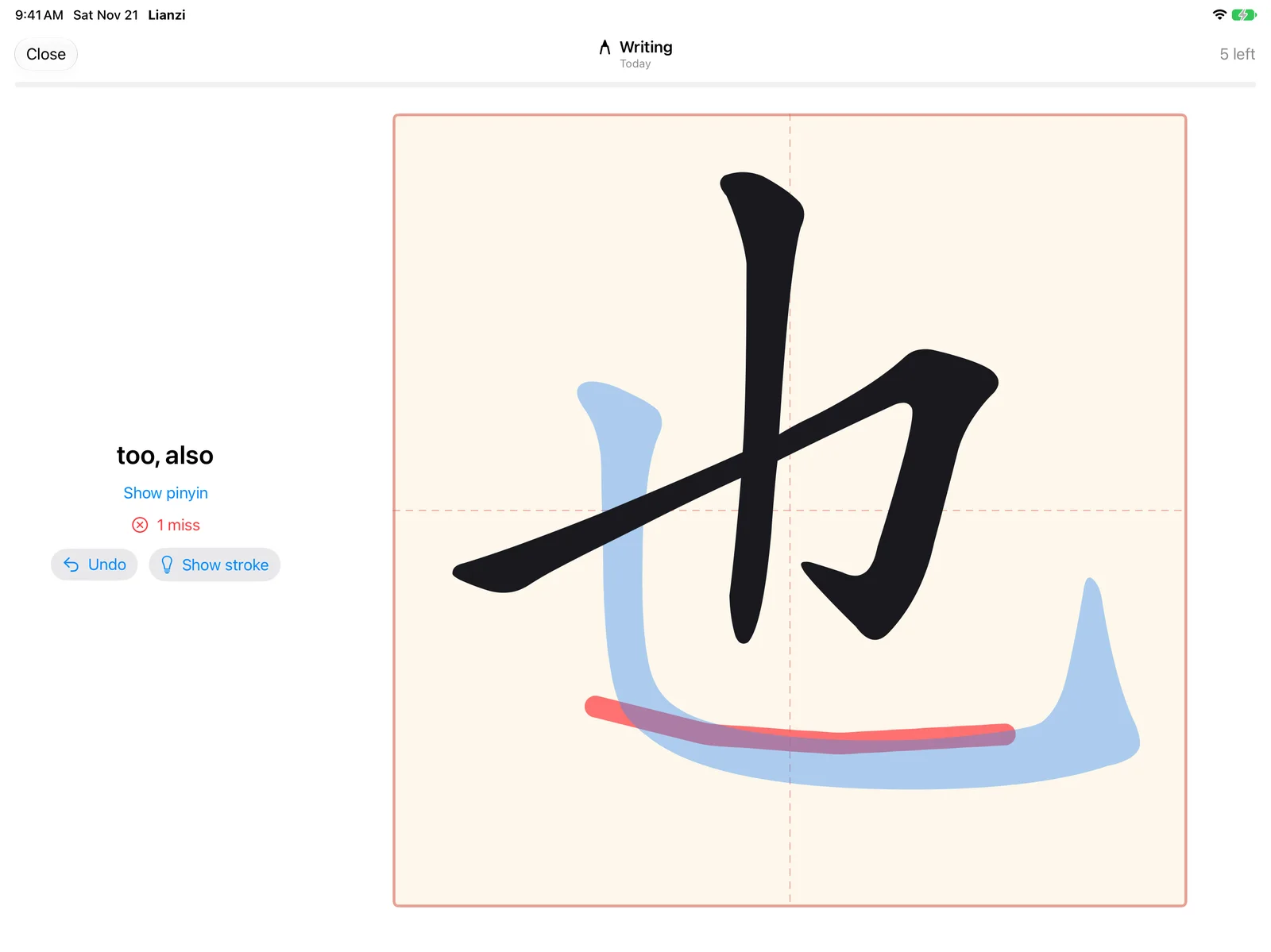
With Apple Pencil on iPad it feels like writing in an exercise book. Every stroke is checked as you lift the pen; a wrong one shows in red, with the right one in blue.

Writing 也 for “too, also”: two strokes written and accepted, a third drawn in the wrong place shows in red, with the correct stroke in blue. 1 miss.
  • 10,916HSK 1–7 words included
  • 4kinds of practice per word
  • FSRSspaced repetition
  • 0ads or trackers

See it written before you write it.

  1. Stroke by stroke

    Every new word starts with its strokes drawn in order, numbered, on the 田字格: the way your hand will write them.

  2. Heard and seen

    Then its pinyin, in the colour of its tone, and the word read aloud.

  3. In a sentence

    Example sentences with pinyin and a translation show how the word is used.

xué to learn, to study

我在学中文。 Wǒ zài xué Zhōngwén. I am learning Chinese.

The grade follows how it went.

A clean character suggests Good, wrong strokes Hard, a stroke you had to be shown Again. You can always pick another, and each button says when the word comes back. Try them: this is the same FSRS scheduler the app uses.

也 yě too, also

Wrong strokes on the way
100%90%80%70%1 day1 week1 month3 months6 months1 year
Next review in 15d, then 1mo → 4mo → 9mo if it keeps going well. Each review comes as the chance of remembering drops to 90 %.

Tap the tone, or draw it.

For each syllable, pick the tone or draw its contour, the way you would sketch it over the pinyin. Reading and meaning get their own cards too, each scheduled on its own.

to learn 学 xue
or draw the tone here

See how it’s going.

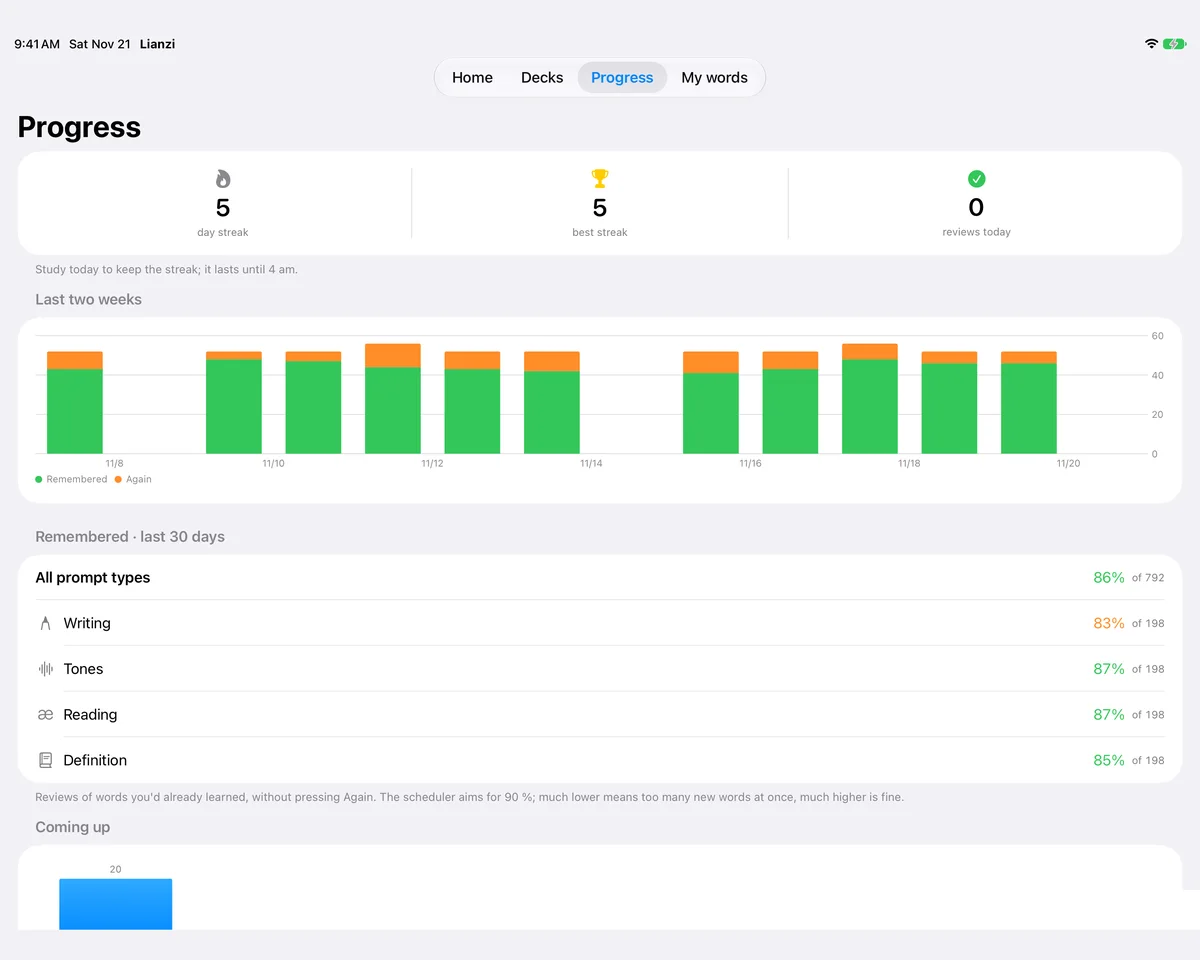
Your streak, the last two weeks of reviews, how much you remember of each kind of practice, and what is coming up: all on one screen.

The Progress screen: a five-day streak, reviews of the last two weeks as a bar chart, and how much was remembered per kind of practice.

HSK 1–7, or your own lists.

All 10,916 words of the HSK 3.0 standard, most frequent first, in parts of about fifty. Add your course’s word lists by hand, from a file, or from the built-in dictionary.

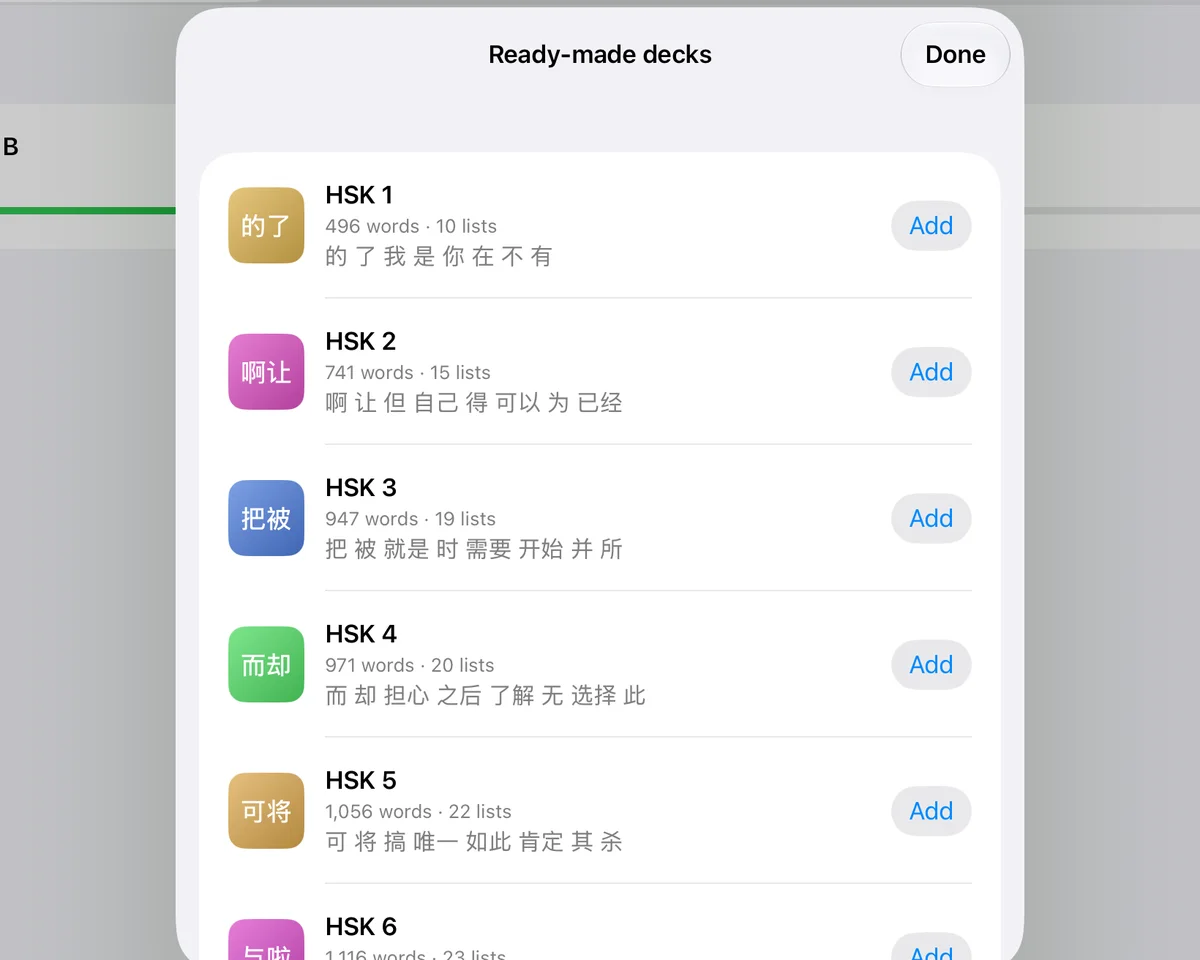
The ready-made decks: HSK 1 to HSK 6 with their word and list counts and an Add button each.

And the small things that make it a habit.

  • An exam plan

    Give a deck its exam date. In the last week no new words start, and words you might forget by then come back.

  • Pencil, finger, keyboard

    Double-tap the Pencil to take back a stroke; squeeze a Pencil Pro for a hint. No Pencil? Use your finger.

  • A dictionary built in

    Look words up in a dictionary based on CC-CEDICT and add them to your own lists.

  • iPad and iPhone in step

    Progress syncs through your own iCloud. Your lists are files in iCloud Drive you can open and edit.

  • Widget and reminders

    See what is due and your streak on the home screen, and get a gentle reminder if you want one.

  • Example sentences

    Up to two short sentences per word from Tatoeba, with pinyin and translation, read aloud.

练字 liànzì, practising characters

It is what pupils in China do in their exercise books: one character at a time, one square of the 田字格 at a time, until the hand knows it. Lianzi is that exercise book, with someone looking over your shoulder at every stroke.

No account needed. No ads. No tracking.

Lianzi works fully without an account: what you learn stays on your devices and in your own iCloud. An optional account, for editing decks on the web and sharing them with a class, is on the way. The privacy policy says exactly what is stored where, and changes before that arrives.